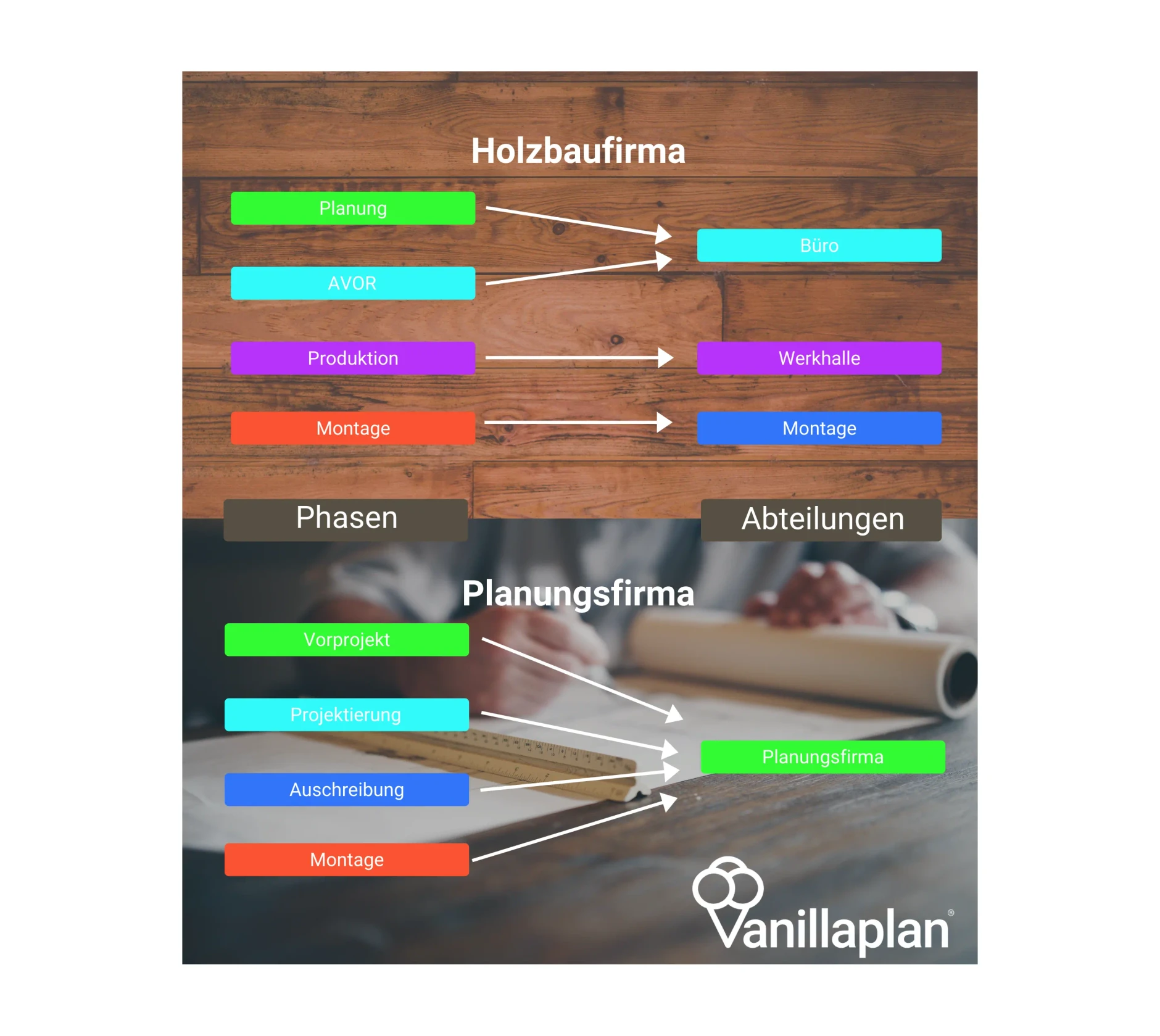

In Vanillaplan, phases represent a breakdown of entire projects and are assigned to the departments that carry them out. You can create as many phases as you like and name them individually. However, we recommend not making the breakdown too fine-grained, so as not to lose clarity.
The infographic above shows two examples of phases and their assignment to departments, one for a planning firm and one for a timber construction company. At the planning firm the phases are based on the SIA phases. At the timber construction company the special feature is the Production phase, in which prefabrication takes place. In timber construction, prefabrication is widespread, but it is also becoming increasingly important in traditional construction businesses.
For companies with several locations or several separate departments, as in building construction and civil engineering, it makes sense to create more phases, for example Realisation Basel and Realisation Zurich or Building construction assembly and Civil engineering assembly.
If you have questions about how best to map your company with phases and departments in Vanillaplan, we are happy to help.